
A soundbar can transform your TV experience, but sometimes the audio doesn’t live up to expectations right out of the box. The good news? You don’t need to buy new equipment or spend hours tinkering to make a noticeable difference. With just a few tweaks, you can instantly improve your soundbar’s performance and get richer, clearer, and more immersive sound.
Here are five quick ways to upgrade your listening experience today.
Position It Properly
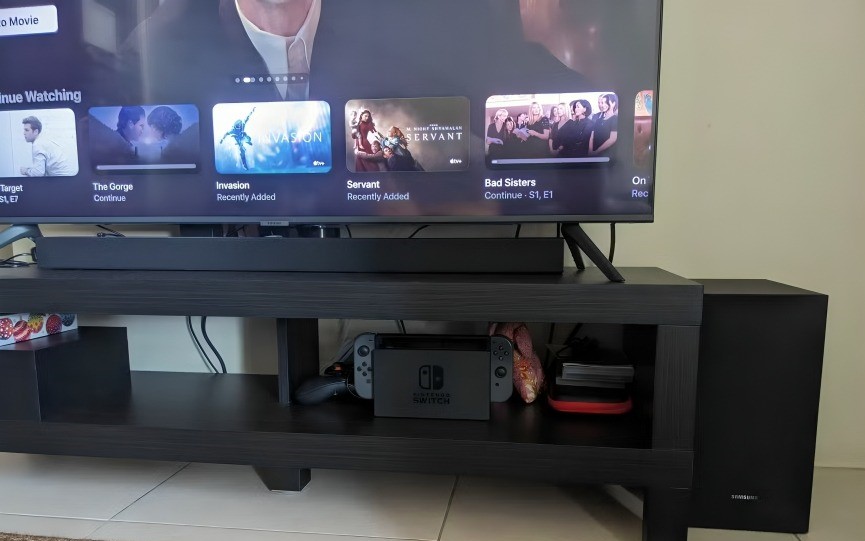
Where you place your soundbar makes a huge difference. Many people leave it tucked behind the TV or crammed into a shelf, which muffles the sound.
- Place it directly in front of your TV, centered, and unobstructed.
- Avoid putting it inside a cabinet unless it’s designed for that—enclosed spaces distort sound.
- Ideally, it should be at ear level when you’re sitting down for the best clarity.
Small adjustment, big results.
Use the Right Connection
Not all connections are equal. If your soundbar and TV both support HDMI ARC or eARC, use that instead of optical or Bluetooth. HDMI ARC/eARC can carry higher-quality audio formats and synchronize sound better with your TV.
- HDMI ARC = great for most setups.
- HDMI eARC = ideal if your soundbar supports Dolby Atmos or advanced audio formats.
- Optical is okay, but not as powerful.
- Bluetooth is convenient, but often lower quality.
Adjust the Sound Modes
Soundbars come with preset audio modes—like “Movie,” “Music,” or “Voice.” Many people leave theirs on default, but switching modes can instantly enhance clarity.
- Watching a film? Use “Movie” for more dramatic bass and surround effects.
- Listening to podcasts? Use “Voice” to boost dialogue.
- Playing music? “Music” mode balances highs and lows.
Experiment until you find the mode that best suits your content.
Pair With a Subwoofer (or Adjust Bass/ Treble)
If your soundbar supports a subwoofer, make sure it’s paired and properly placed—ideally on the floor near a wall or corner for deeper bass. If you don’t have one, don’t worry: adjusting bass and treble settings can still make a world of difference.
- Too boomy? Lower the bass slightly.
- Too sharp? Tone down the treble.
- Dialogue hard to hear? Increase midrange or dialogue enhancement options.
Update the Firmware
It may sound boring, but manufacturers often release software updates that improve sound performance, add features, or fix bugs. Many people never update their soundbar after unboxing it.
- Check your soundbar’s app or manufacturer’s website.
- Install any available updates—it takes just a few minutes but can dramatically boost performance.
Conclusion
Your soundbar is capable of more than you might think—it just needs a little tuning. By adjusting placement, using the best connection, experimenting with modes, fine-tuning bass and treble, and keeping it updated, you’ll unlock richer sound instantly.With these five simple steps, you can turn your ordinary TV nights into theater-like experiences—without spending an extra dime.
Do you want me to also create a quick checklist version of these 5 steps (short and snappy), so it’s easy for readers to skim and apply right away?
