
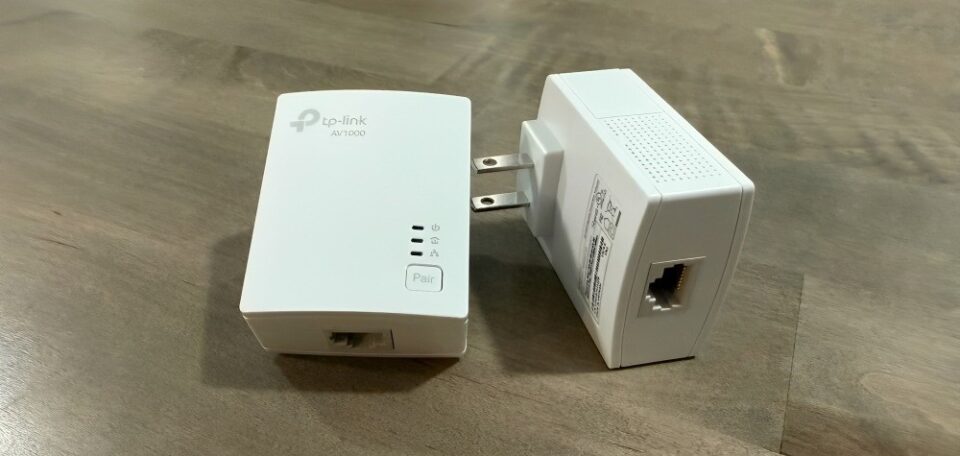
Smart TVs are supposed to make life easier—streaming apps, built-in Wi-Fi, and everything in one sleek package. But if you’ve ever sat down to watch a movie only to spend the first 15 minutes staring at a buffering circle, you know the frustration that comes with a TV that just won’t stay connected. That was my situation—until I found a $45 gadget that completely fixed my smart TV’s terrible internet.
The Problem With Built-In Wi-Fi
When I first bought my smart TV, I thought it would be the ultimate entertainment hub. It connected to Wi-Fi without any cables, and for a while, it worked fine. But over time, the problems started:
- Streaming apps froze mid-show.
- 4K videos downgraded to blurry 480p.
- Updates failed halfway through.
- Even navigating menus felt sluggish.
I tried everything—moving the router, restarting the TV, even upgrading my internet speed. But nothing seemed to solve the issue. The problem wasn’t my Wi-Fi—it was the TV’s weak built-in wireless receiver.
The $45 Fix: An Ethernet Adapter
The solution came in the form of a simple gadget: an Ethernet adapter. For around $45, I bought a high-quality adapter that lets my smart TV connect directly to the internet through a wired connection.
Instead of relying on spotty Wi-Fi signals bouncing around the house, my TV now has a solid, stable pipeline to the router. The difference was immediate and dramatic.
The Results After Plugging It In
After setting up the adapter (which took less than five minutes), I noticed:
- Instant speed boost – Apps loaded in seconds instead of minutes.
- Zero buffering – Even 4K movies streamed smoothly without interruption.
- Stable connections – No more random disconnects during binge-watching sessions.
- Better updates – Software downloads finished quickly and without errors.
Honestly, it felt like I had upgraded to a brand-new TV without spending hundreds on a replacement.
Why It Works So Well
Smart TVs often cut corners with their Wi-Fi hardware. Manufacturers focus on the screen and design, not the networking components. By adding a wired connection, you bypass the TV’s weak Wi-Fi antenna and give it the same reliability your desktop PC or gaming console gets from Ethernet.
And since streaming requires consistent bandwidth, not just raw speed, the adapter ensures that connection dropouts become a thing of the past.
Who Should Get One
If you have a smart TV and you’ve noticed laggy apps, endless buffering, or poor video quality, this little $45 gadget might be the perfect fix. It’s especially helpful if:
- Your router is near your TV.
- You regularly stream 4K or HDR content.
- You use your TV for live sports or gaming where every second counts.
- You’re tired of troubleshooting Wi-Fi every movie night.
Conclusion
I used to think my smart TV was outdated or faulty. I even considered buying a new one. But in reality, it just needed a better connection. For $45, this Ethernet adapter turned my frustrating streaming experience into the smooth, reliable setup I always wanted.
Sometimes, the smartest upgrade isn’t replacing your tech—it’s fixing the weak spot with a simple gadget.
Would you like me to also recommend specific adapter models under $50 (like Amazon or UGREEN options) so the article feels more practical and product-driven?
