
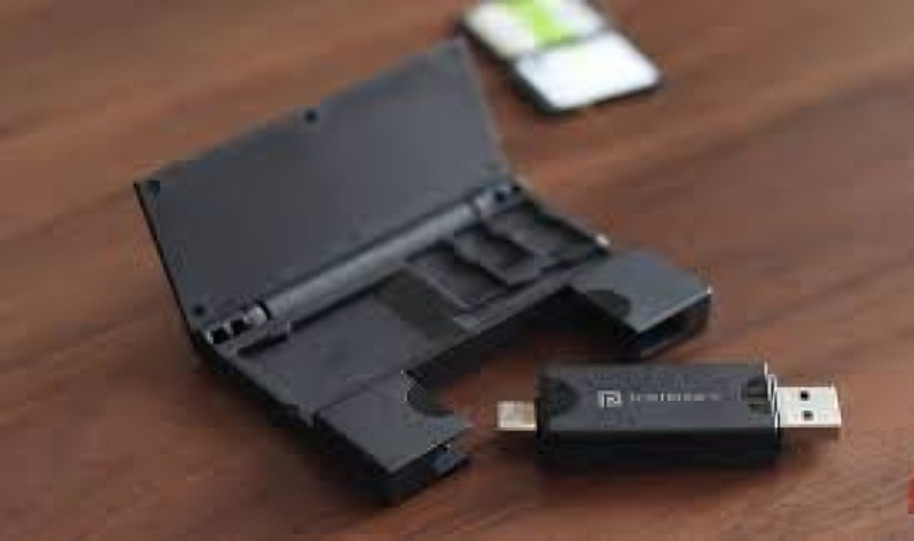
Sometimes the best upgrades don’t cost a fortune. For months, I struggled with transferring photos and videos between my camera, phone, and laptop. My old method was painfully slow—plugging in cables, waiting for transfers, or relying on unreliable Wi-Fi connections that always decided to lag at the worst possible moment. Then, one day, a tiny $10 gadget quietly changed everything.
The Storage Headache I Didn’t Realize I Had
Every creator or student knows this pain: juggling SD cards, USB drives, and devices that don’t always talk to each other. I’d often find myself stuck in the middle of a project because my camera’s SD card was full or my laptop’s storage was maxed out. Deleting files wasn’t an option—I needed them.
I thought about buying expensive cloud storage or an external SSD, but then I found something surprisingly simple: a small multi-card memory reader. It wasn’t flashy, but it promised fast file transfers and universal compatibility. For just $10, I decided to give it a shot.
The Little Gadget That Did a Lot
The gadget looks like a regular USB stick, except it has multiple slots—one for SD cards, another for microSD, and ports that work with both USB-A and USB-C. That means I can use it on my camera, my phone, and my laptop without extra adapters.
Once I plugged it in, something magical happened: instant access. No lag, no drivers, no complicated setup. My files popped up immediately. I dragged them to my folders, backed them up on an external drive, and cleared my card in minutes.
Even better, it works both ways—I can also put files on the card from my laptop to use on other devices. For example, I often transfer videos from my phone to my camera’s SD card to edit them later on desktop software. What used to be a hassle now takes seconds.
How It Transformed My Workflow
This tiny device simplified my entire workflow:
- No more cables: I don’t need to carry multiple wires just to connect devices.
- Faster transfers: It’s much quicker than Bluetooth or Wi-Fi transfers.
- Universal compatibility: It works with Windows, macOS, Android, and even iPads.
- Compact and portable: It’s the size of a flash drive, so I keep it in my wallet.
I now back up files immediately after shooting, which keeps my devices clean and ready for the next project. For someone who juggles a lot of media, that’s a huge relief.
Why Cheap Doesn’t Mean Useless
It’s easy to get lost in expensive solutions when a simple, affordable tool is all you need. This $10 card reader isn’t “smart” or high-tech. But it works—and it works every single time.
Sometimes, you don’t need a giant cloud subscription or a pricey SSD. You just need something that quietly removes the friction in your daily routine.
Conclusion
This little memory-card reader didn’t just save me time—it gave me control over my files. It turned messy transfers into a clean, efficient system that fits in my pocket. If you work with cameras, phones, or even just store a lot of files, this kind of gadget might be the smartest $10 you’ll ever spend.
Sometimes, the best tech upgrades aren’t about power—they’re about simplicity that works.
