
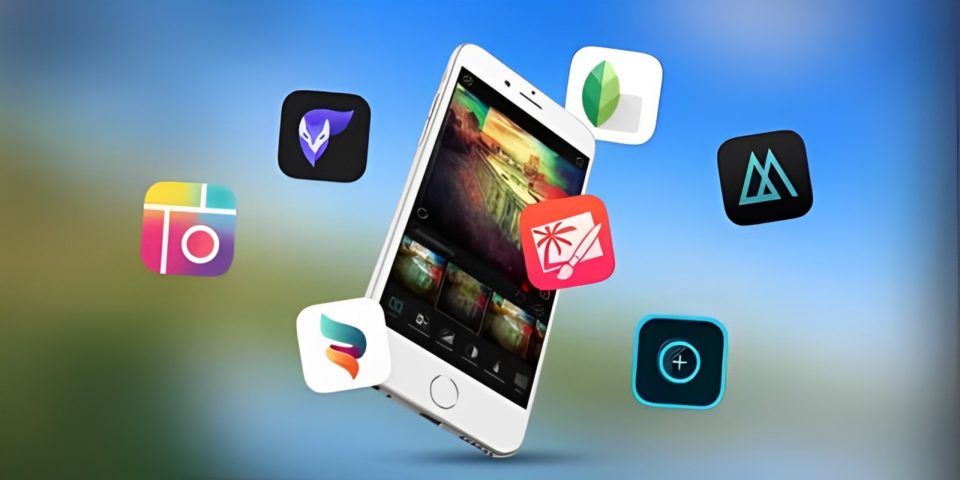
In the era of social media and digital storytelling, capturing the perfect photo has never been more important. But taking a great picture is only the first step; editing is where the magic happens. Whether you’re a professional photographer or someone who loves capturing moments on the go, having the right photo editing tools at your fingertips can make a world of difference. Here are the only four iPhone photo editing apps you’ll ever need to take your photography to the next level.
Snapseed
Why You’ll Love It:
Snapseed, developed by Google, is a powerhouse when it comes to photo editing. With its user-friendly interface and a plethora of advanced editing tools, Snapseed is perfect for both beginners and advanced users. It offers a wide range of features that go beyond basic filters, including precision editing tools that allow for selective adjustments to specific areas of your photo.
Key Features:
Selective Editing: Snapseed’s selective adjustment tool lets you enhance specific parts of your image without affecting the rest. You can adjust brightness, contrast, and saturation with pinpoint accuracy.
Professional Filters: From vintage effects to high-contrast black and white, Snapseed offers a variety of high-quality filters that can transform your photos instantly.
Healing Tool: This feature allows you to remove unwanted objects or blemishes from your photos seamlessly, making your images look cleaner and more professional.
RAW Editing: For those who shoot in RAW, Snapseed supports editing of RAW files, providing more flexibility and control over your images.
VSCO
Why You’ll Love It:
VSCO is well-known for its minimalist design and its community of photographers. It’s more than just a photo editing app; it’s a platform that encourages creativity and self-expression. VSCO offers a wide selection of filters inspired by classic film photography, making it a favorite among those who appreciate the nostalgic look of analog film.
Key Features:
Film-Inspired Presets: VSCO’s filters are designed to emulate the look of traditional film. They offer a more subdued and refined aesthetic compared to the typical flashy filters found in other apps.
Editing Tools: Beyond filters, VSCO provides powerful editing tools to adjust exposure, contrast, temperature, and more. The app’s interface is intuitive, making it easy to fine-tune your images.
VSCO Community: VSCO’s social platform allows you to share your photos and follow other photographers, providing inspiration and a sense of community.
Adobe Lightroom Mobile
Why You’ll Love It:
Adobe Lightroom is a go-to choice for professional photographers, and its mobile version doesn’t disappoint. Lightroom Mobile brings the power of desktop photo editing to your iPhone, offering advanced features that provide precise control over your photos. It’s perfect for users who are serious about photography and want a comprehensive tool to manage and edit their images.
Key Features:
Advanced Editing Tools: Lightroom offers a range of professional-grade tools, including exposure, color correction, and gradient filters. Its precise adjustments allow you to tweak every aspect of your photo.
Non-Destructive Editing: Lightroom’s editing process is non-destructive, meaning you can always revert back to your original image if you make a mistake.
RAW Editing and Camera Integration: Lightroom Mobile supports RAW photo editing, allowing you to take full advantage of the higher quality and flexibility that RAW files offer. The app also includes a built-in camera with manual controls for better shooting.
Sync Across Devices: Lightroom’s cloud-based system allows you to sync your photos and edits across all your devices, making it easy to work on your images from anywhere.
Afterlight
Why You’ll Love It:
Afterlight is an all-in-one photo editing app that offers a balance between simplicity and functionality. It’s packed with features that make photo editing fun and easy, without overwhelming the user. Afterlight is known for its beautiful filters, textures, and frames, allowing for creative and artistic photo enhancements.
Key Features:
Wide Range of Filters: Afterlight offers a variety of filters, including unique options designed by professional photographers. You can easily create the perfect look for your photos with just a few taps.
Creative Overlays and Textures: Add artistic overlays, light leaks, and textures to your photos for a vintage or creative effect. These features can give your images a unique and personalized touch.
Adjustable Frames and Borders: Afterlight provides a selection of frames and borders that can be customized to fit your photo’s style, making it perfect for sharing on social media.
User-Friendly Interface: The app’s intuitive design makes it easy to navigate and apply edits, making it a great choice for users of all experience levels.
Conclusion
With these four powerful apps—Snapseed, VSCO, Adobe Lightroom Mobile, and Afterlight—you’ll have everything you need to edit your photos like a pro. Whether you’re looking for precise control, creative filters, or a user-friendly experience, these apps offer a range of features to suit all your photo editing needs. So go ahead, download these apps, and start transforming your photos into stunning visual stories!
