
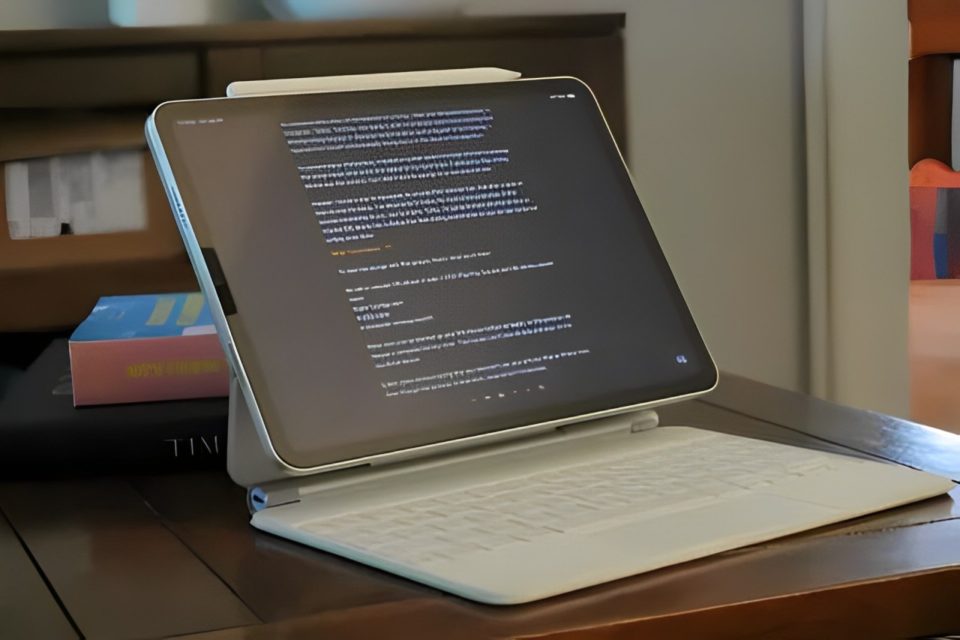
With so many digital distractions vying for our attention, writing in peace can feel like a lost art. Notifications, emails, and endless tabs often derail focus, leaving productivity in shambles. But instead of shelling out for the latest productivity gadget, I decided to repurpose an old, unused iPad and turn it into a distraction-free writing machine. Here’s what I did—and how you can replicate it too.
Resetting the iPad for a Fresh Start
The first thing I did was factory reset my iPad. This gave it a clean slate, removed old apps, and ensured smoother performance. Even if the device is a few years old, starting fresh helps eliminate background clutter that could cause lag.
Steps to Factory Reset Your iPad
Navigate to Settings > General > Transfer or Reset iPad > Erase All Content and Settings.
Make sure to back up anything you need beforehand.
With the reset complete, my iPad felt brand-new, ready for a streamlined setup dedicated entirely to writing.
Minimal App Installation for Focused Productivity
To keep distractions at bay, I limited the apps I installed to only the essentials:
iA Writer / Ulysses / Notion – I picked a minimal writing app that offered a clean interface without notifications.
Google Drive / Dropbox – For storing and syncing drafts without worrying about data loss.
Screen Time Settings – I enabled restrictions to prevent browsing and social media distractions.
By avoiding unnecessary apps like social media, email, and messaging platforms, I ensured that my iPad remained a space reserved solely for writing.
Pairing with a Bluetooth Keyboard
To make my iPad more practical for long writing sessions, I paired it with a lightweight Bluetooth keyboard. It gave me the feel of a traditional laptop without the bulk, and I could easily carry it around for on-the-go writing.
Keyboard Recommendations
Apple Magic Keyboard – A premium option with great compatibility.
Logitech K380 – Affordable, reliable, and easy to pair.
Keychron K3 – For mechanical keyboard enthusiasts who want a tactile typing experience.
The keyboard transformed my old iPad from a basic tablet into a powerful, distraction-free writing station.
Customizing the iPad for Distraction-Free Use
To further eliminate distractions, I made a few tweaks to the iPad’s settings:
Do Not Disturb Mode: Enabled to block notifications.
Focus Mode: Customized a Focus Mode for writing sessions, allowing only writing-related apps to function.
Dark Mode: Reduced eye strain by switching the iPad to dark mode during late-night writing sessions.
These settings allowed me to stay in the zone, free from interruptions, and focus entirely on the writing process.
Creating a Routine for Productive Writing Sessions
Once the setup was complete, I developed a writing routine to make the most of my new device. Having a dedicated space and time to write each day helped build momentum. I aimed for short, distraction-free bursts of writing, using techniques like the Pomodoro method (25 minutes writing, 5 minutes break).
Pro Tip:
Make your writing environment cozy—light a candle, grab a cup of tea, or sit by a window. A comfortable atmosphere makes it easier to stay motivated.
The Results: Rediscovering the Joy of Writing
Turning my old iPad into a distraction-free writing powerhouse was a game-changer. It provided a simple, focused environment to get my thoughts down without the usual digital noise. The portability of the iPad, combined with the physical keyboard, gave me the freedom to write from anywhere—whether on my couch, at a café, or in a park.
By stripping the device of unnecessary apps and tweaking settings, I created a space where creativity could flow naturally. It reminded me that sometimes, the tools we already have are enough—we just need to optimize them to fit our goals.
Conclusion
In a world full of distractions, turning an old iPad into a writing powerhouse reminded me of the power of minimalism. Productivity isn’t about having the latest tech; it’s about creating an environment that fosters focus and creativity.
If you have an old iPad collecting dust, consider giving it new life. With a few adjustments, it can become the perfect tool to help you stay productive, creative, and distraction-free.
