
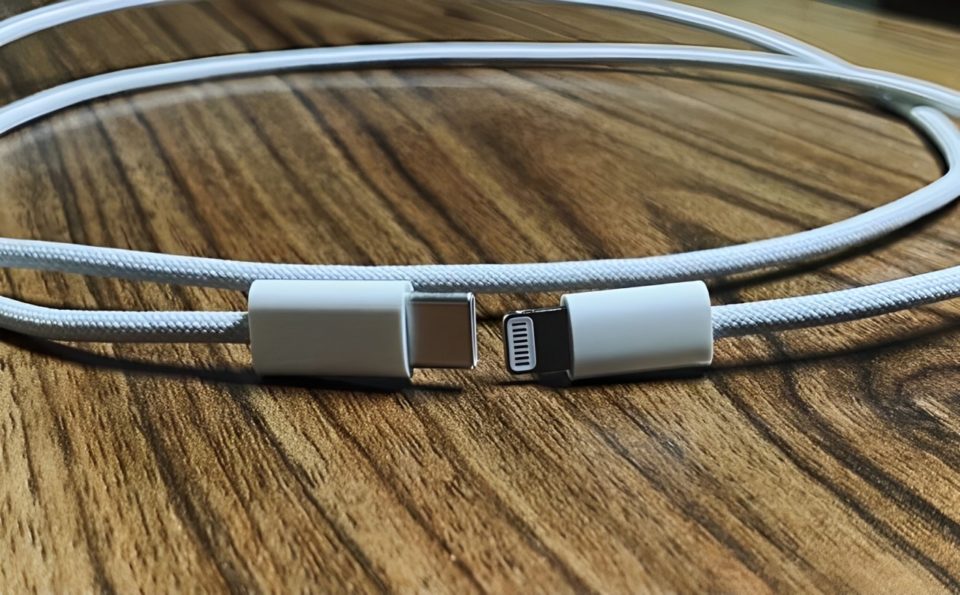
With the increasing reliance on USB-C cables for charging, data transfer, and device connectivity, it’s essential to choose the right one. However, with so many options on the market, finding a cable that is both reliable and efficient can be a bit overwhelming. Over time, I’ve learned the importance of paying attention to specific details when selecting USB-C cables, and I’d like to share my tips on how to always pick the right one.
Check the Cable’s Power Rating
The first thing to consider when choosing a USB-C cable is its power delivery (PD) rating. Not all cables are designed to handle the same level of power, and using a low-rated cable can lead to slow charging or even potential damage to your device. USB-C cables can support varying levels of power, typically ranging from 18W to 100W or more.
Low-power cables (e.g., 18W, 30W) are sufficient for smartphones and smaller devices.
Medium-power cables (e.g., 60W) are ideal for tablets and laptops.
High-power cables (e.g., 100W and above) are best for larger laptops, gaming consoles, and devices that demand quick charging.
Before purchasing, always check the cable’s specifications to ensure it supports the necessary power requirements for your device.
Look for USB-IF Certification
The USB Implementers Forum (USB-IF) is a non-profit organization that sets standards for USB devices and cables. A USB-IF certified cable is guaranteed to meet the official USB specifications, ensuring the cable is safe, reliable, and efficient.
Uncertified cables may work for basic tasks, but they could lack proper shielding, leading to slower charging, poor data transfer rates, or, in the worst case, device damage. To avoid these issues, always choose cables that are USB-IF certified. This certification can be easily identified by the USB-IF logo on the packaging or product description.
Consider Data Transfer Speed
Not all USB-C cables are created equal when it comes to data transfer speeds. If you need the cable for transferring large files between devices or for connecting high-speed peripherals, pay close attention to the cable’s data transfer capabilities.
USB-C cables typically support three main data transfer standards:
USB 2.0 – Up to 480 Mbps, ideal for basic file transfers or charging.
USB 3.0 or 3.1 – Up to 5Gbps or 10Gbps, suitable for fast data transfer between computers, storage devices, or printers.
USB 3.2 Gen 2×2 or Thunderbolt 3/4 – Up to 20Gbps or 40Gbps, perfect for video editing, high-speed external drives, or ultra-fast data syncing.
If you’re working with large files or need fast performance, make sure the cable supports a higher data transfer rate like USB 3.1 or Thunderbolt.
Check the Build Quality and Durability
Durability is another key factor when choosing a USB-C cable. A well-built cable can last for years, while a flimsy one may fray or break after just a few uses. Look for cables with reinforced connectors, braided or tangle-free designs, and high-quality materials like aluminum or braided nylon for extra durability.
The cable’s length is another consideration. A longer cable can be convenient for reaching charging points from a distance, but it may have more resistance, which can slow down the charging speed. If you need a cable to use while sitting at a desk or charging at a distance, opt for a length between 3 to 6 feet to maintain speed and efficiency.
Compatibility with Your Devices
Ensure the USB-C cable is compatible with your devices. While USB-C is becoming the universal standard for smartphones, laptops, tablets, and other electronics, some devices may require specific cables for certain functions (e.g., HDMI output, video transfer, or quick charging). Always verify the compatibility of the cable with your device, especially when using the cable for specific tasks like connecting to external displays or using accessories.
For example, if you’re looking for a cable to use with a USB-C laptop that supports HDMI output, you’ll need a cable specifically designed for that purpose. Similarly, if your device requires a USB-C to Lightning cable for fast charging, make sure you get the correct one.
Consider Brand Reputation and Reviews
When selecting a USB-C cable, the brand reputation can play a significant role in ensuring quality. Established brands like Anker, Aukey, and Belkin are known for producing durable and reliable cables that meet industry standards. It’s also a good idea to check online reviews for insights on real-world performance. Reviews often highlight the reliability, durability, and overall quality of a cable, which can save you from making a poor purchase.
Conclusion
Picking the right USB-C cable doesn’t have to be a challenge if you know what to look for. By paying attention to power ratings, data transfer speeds, durability, and compatibility, you can ensure your cable meets your needs and provides safe, efficient performance. Whether you’re charging your smartphone or transferring data between devices, a good USB-C cable can make a significant difference in your experience. Investing in the right one will not only improve your workflow but also protect your devices from potential harm.
