
In a world where almost everything demands an internet connection, Google quietly built something that works beautifully without one. It’s fast, private, simple—and it might just be the photo app you’ve been waiting for. Surprisingly, most people don’t even know it exists.
The Hidden Offline Gem
You’ve probably used Google Photos, the cloud-based photo backup and management app that syncs across your devices. It’s convenient—but it’s also built around cloud storage, which means your photos constantly travel through Google’s servers.
But behind the scenes, Google has been testing and rolling out a lighter, offline-first alternative: Gallery by Google (also called Gallery Go). It’s a photo viewing and organizing app that runs entirely offline. No constant syncing. No data use. No account needed.
Why Gallery Go Exists
Gallery Go was originally created for Android users in regions with limited internet access or expensive mobile data. But over time, it’s become a hidden favorite even among people with fast connections.
The reason? Simplicity. The app is built to work fast, use minimal storage, and let you manage your photos directly on your phone—without depending on cloud syncs or Wi-Fi.
You don’t even need to sign in with a Google account. It’s just your photos, on your device, organized intelligently.
Smart Organization—Without the Internet
Here’s the impressive part: even though it works offline, Gallery Go uses on-device machine learning to automatically organize your images. It can sort photos into categories like people, selfies, food, nature, animals, and documents—all without sending anything to Google’s servers.
That means you get AI-powered sorting and smart albums without giving up your privacy or bandwidth. It’s like having the best of Google Photos—minus the cloud.
Key Features That Make It Shine
- Offline AI Sorting: Automatically organizes photos by type without internet access.
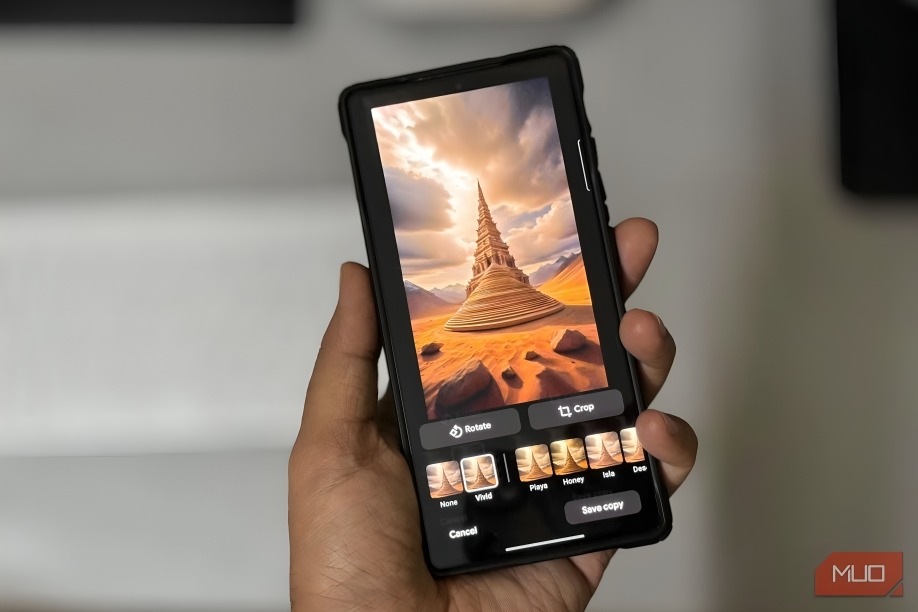
- Built-In Editing Tools: Simple one-tap auto-enhance, cropping, filters, and rotation options.
- Tiny App Size: Around 10 MB—perfect for low-storage phones.
- No Account Needed: Works instantly upon install.
- Fast and Private: Nothing leaves your device.
It’s designed for speed and privacy, and it delivers both brilliantly.
Perfect for Travelers, Photographers, and Minimalists
If you’re traveling somewhere with limited data, or you simply prefer not to sync personal photos to the cloud, Gallery Go is ideal. It’s also great for creators who use multiple devices and want to keep media management simple and private.
Think of it as Google Photos’ quiet, offline twin—lean, private, and refreshingly straightforward.
How to Get It
Gallery Go is free on the Google Play Store, available for most Android devices running Android 8.1 or higher. Once installed, it automatically scans and organizes all the photos on your device—no setup required.
And since it’s an official Google product, it feels familiar but lighter—like Google Photos before it became a cloud service.
The Bigger Picture: Offline Is Making a Comeback
As cloud services dominate, many users are realizing that not everything needs to live online. Offline apps like Gallery Go represent a shift toward local-first computing—apps that give users control, speed, and privacy without depending on servers.
Google’s quiet success with Gallery Go suggests the company knows this too: not every feature needs to be “always connected.” Sometimes, the best user experience happens entirely offline.
Conclusion
In an age of constant syncing and endless storage plans, Google’s offline photos app feels refreshingly human. It gives you back control over your images—fast, private, and free from the cloud’s reach.
If you’ve been searching for a photo app that respects your time, data, and privacy, try Gallery Go. It’s Google Photos without the strings attached—and it just might be Google’s smartest app you’ve never heard of.
Would you like me to make a shorter, SEO-optimized blog version of this next (with headline variations and keywords like “offline photo app,” “Google Gallery Go,” and “private photo manager”)?
