
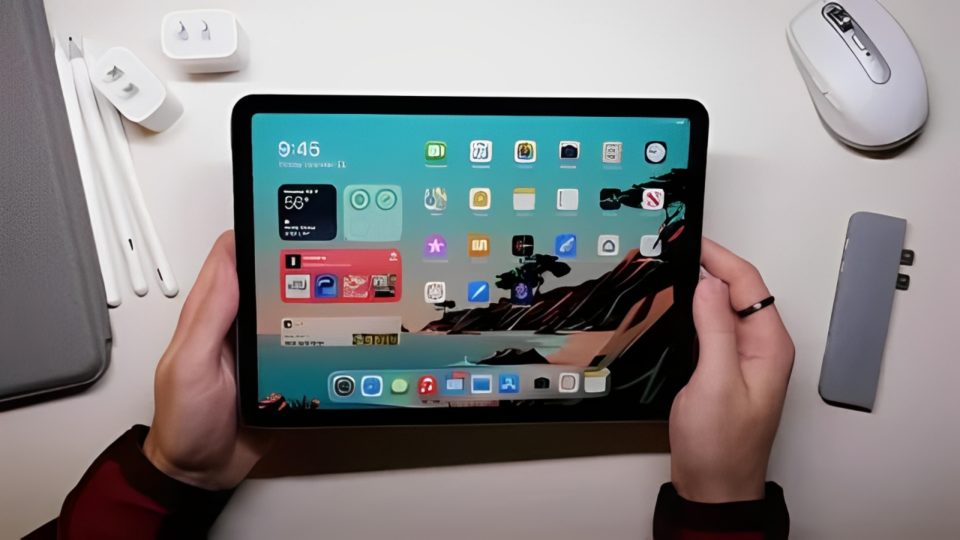
The iPad has revolutionized the way we work, learn, and play since its introduction by Apple. Its versatility as a tablet for both entertainment and productivity has made it a popular choice for millions. However, like any piece of technology, iPads do not last forever. They have a finite lifespan, and over time, you may find that your once-reliable device isn’t performing as well as it used to. If you’re debating whether it’s time to upgrade your iPad, here are seven definitive signs that may suggest it’s time to invest in a newer model.
Slow Performance
If you’ve noticed your iPad starting to lag, freeze, or take longer to load apps and web pages, it could be a sign that its performance is starting to decline. As apps become more sophisticated and feature-rich, they demand more processing power. Older iPads with outdated processors or limited RAM can struggle to keep up with modern apps, especially those that are graphically intense or require heavy multitasking. If you’ve cleared out your apps and restarted your device, but the sluggish performance persists, it may be time to consider an upgrade.
iPads that were released several years ago, like the iPad Air 2 or earlier, may no longer have the horsepower to handle newer applications as efficiently as they once did. Upgrading to a newer model will offer you better processing power, smoother multitasking, and an overall faster experience.
Incompatible with Updates
Apple is known for providing regular updates to iPadOS, which is the operating system that powers iPads. These updates often introduce exciting new features, security enhancements, and important bug fixes. However, older iPad models eventually stop receiving support for the latest software versions. If your iPad can no longer update to the newest iPadOS version, you’re missing out on features that improve the device’s usability, security, and overall performance.
Without the latest updates, your device will also become vulnerable to security risks, as older operating systems are not patched with the latest security fixes. If your iPad is no longer able to receive iPadOS updates, it could be a sign that it’s time to look for a replacement.
Battery Issues
The battery life of your iPad is critical to its overall usability. Over time, lithium-ion batteries, which power iPads, degrade and lose their ability to hold a charge. If you’ve noticed that your iPad’s battery drains faster than it used to or that it doesn’t last as long on a single charge, it may be due to battery wear. In some cases, the device may even shut down unexpectedly, especially if the battery charge is very low.
While it’s possible to replace the battery on your iPad, it can be costly, and depending on the age of the device, it may not be worth the investment. If you find yourself tethered to a charger throughout the day or having to constantly monitor your battery percentage, upgrading to a new iPad with a fresh battery is likely the better choice.
Cracked Screen or Physical Damage
A cracked screen is one of the most obvious signs that it might be time for a new iPad. While Apple offers repair services for damaged screens, extensive physical damage, such as a broken display, unresponsive buttons, or faulty charging ports, can make it difficult to use the device effectively. If your iPad has sustained physical damage that makes it unreliable or frustrating to use, repairing it might not be worth the cost, especially if your device is already several years old.
Even though you can replace certain components like the screen or battery, there’s a point where it makes more sense financially to purchase a new device. If the cost of repairs is close to the price of upgrading to a newer model, it may be time to make the switch.
Storage Space Is Always Full
As apps and media files continue to grow in size, many iPad users find themselves running out of storage space. If you find that you’re constantly deleting apps, photos, and videos to free up space or are faced with frequent notifications warning you that your storage is full, it’s a sign that your current iPad may not be able to keep up with your data storage needs.
Modern iPads offer significantly more storage capacity, with options up to 1TB, which allows you to store large files, media, apps, and documents without worrying about space. If you’re constantly managing your storage and still running into issues, upgrading to a model with more storage capacity can alleviate this frustration.
App Compatibility Issues
New apps and updates to existing apps are optimized for the latest iPad hardware. If your iPad is struggling to run certain apps or can’t even install the latest versions of popular apps, it could be due to compatibility issues. Apple’s hardware and software evolve rapidly, and older models often can’t keep up with the latest features or performance demands.
Some apps may simply refuse to run on outdated hardware, or they may run poorly, with significant lag or crashes. If your iPad is unable to support the apps you need for work, school, or leisure, upgrading to a new device will ensure that you can continue using all the latest software.
You Need More Power for Productivity
For those who use their iPads for work, school, or creative projects, an outdated iPad may not offer the necessary power or features to get the job done efficiently. Newer iPads come with faster processors, improved multitasking features, and enhanced support for the Apple Pencil, which can make a big difference in productivity.
If you’re using your iPad for tasks like graphic design, video editing, or running multiple apps at once, a newer model with better performance and more advanced features can boost your efficiency. Models like the iPad Pro come with more powerful chips and better support for professional workflows, making them a great option for anyone who needs more from their tablet.
Conclusion
Your iPad has served you well, but eventually, it will reach a point where it can no longer keep up with your needs. Whether it’s slow performance, battery issues, app compatibility, or other factors, these signs indicate that it may be time to invest in a newer model. Upgrading to a new iPad ensures you’ll have access to the latest features, better performance, and a device that can handle whatever tasks you throw at it. If any of these signs sound familiar, it might be time to start looking for a replacement so you can continue enjoying everything your iPad has to offer without the frustrations of an outdated device.
This expanded version goes into more depth on each point, offering additional context and elaboration to help readers make a more informed decision.
