
In today’s digital age, a password manager is one of the best tools for keeping your accounts secure and simplifying online life. It generates strong passwords, remembers them, and helps you log in with just a few clicks. However, setting up a password manager comes with its own pitfalls. A single mistake could compromise the security you’re trying to improve. Here are four common mistakes people make when setting up a password manager—and how to avoid them.
Using a Weak Master Password
Your master password is the key to your password manager. If it’s weak or easy to guess, it defeats the entire purpose of the tool. Since your password manager holds all of your sensitive information, protecting it with a secure master password is absolutely crucial.
How to Avoid This:
Use a strong master password that’s at least 12–15 characters long.
Include a mix of uppercase and lowercase letters, numbers, and symbols.
Avoid predictable information like birthdays, pet names, or dictionary words.
Consider using a passphrase—a sentence or a combination of unrelated words—that’s easy for you to remember but hard for others to guess, like: “Purple!Tree29DogsJumpHigh”.
Bonus Tip: Enable two-factor authentication (2FA) for your password manager for an added layer of security.
Ignoring Backup Options
Many users rely on their password manager without setting up any backups. This is a huge mistake. If you forget your master password, lose access to your device, or experience software issues, you could lose access to all your accounts.
How to Avoid This:
Use the backup and recovery features offered by your password manager.
Store your master password securely (e.g., on a piece of paper stored in a safe).
If your password manager offers emergency access or recovery codes, save them in multiple secure locations.
By planning ahead, you’ll avoid the panic of being locked out of your digital life.
Not Importing All Your Accounts
When setting up a password manager, some people only add a few important accounts. However, this leaves other accounts vulnerable to weak or reused passwords. Without full adoption, you’re not getting the full benefit of your password manager.
How to Avoid This:
Take the time to add all of your accounts to the password manager. Start with frequently used ones, then tackle older accounts.
Use the password manager’s built-in tools to identify weak or reused passwords and update them to stronger ones.
Once you’ve migrated all your accounts, commit to only using the password manager to save and generate passwords moving forward.
This ensures that your entire online life is protected—not just bits and pieces of it.
Choosing the Wrong Password Manager
Not all password managers are created equal. Some free or less reputable ones lack key security features, offer poor user interfaces, or have unreliable support. Choosing the wrong password manager can leave your data at risk.
How to Avoid This:
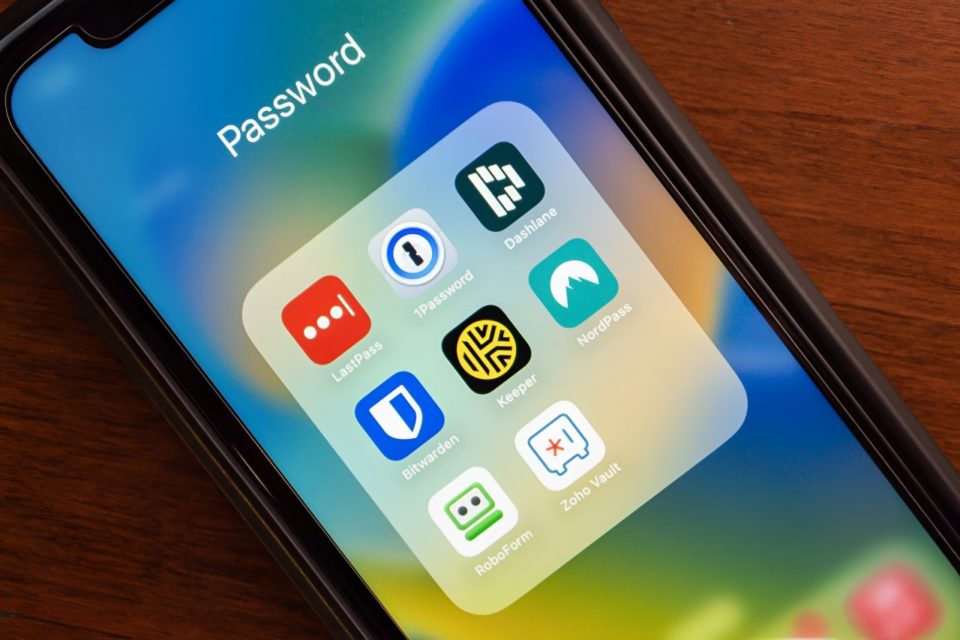
Research trusted and well-reviewed password managers like 1Password, Bitwarden, Dashlane, or LastPass.
Look for features like encryption, two-factor authentication (2FA), and secure cloud sync.
Make sure the tool works on all your devices (desktop, mobile, browser extensions) for seamless access.
Security and reliability should be your top priorities when picking a password manager.
Conclusion
A password manager is one of the smartest investments you can make for your online security. However, setting it up properly is key to making it work effectively. Avoid common mistakes like using a weak master password, ignoring backups, leaving accounts unprotected, or choosing the wrong software.
When done right, a password manager will not only safeguard your digital life but also make managing your accounts easier and stress-free. Take the time to set it up correctly, and you’ll enjoy peace of mind knowing your passwords—and data—are secure.
