
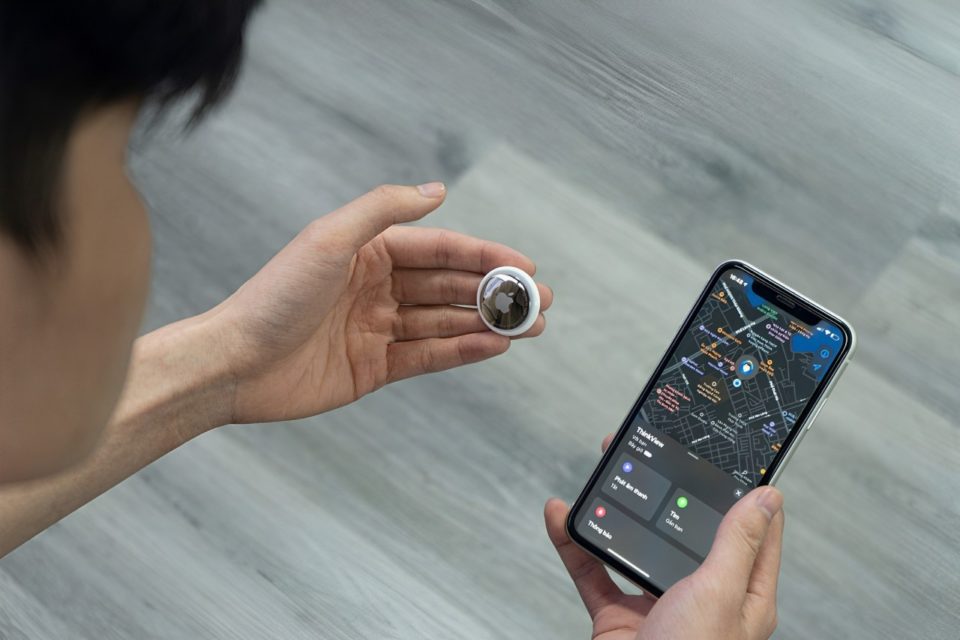
AirTags, Apple’s small, coin-shaped tracking devices, are designed to help you locate your belongings. However, these handy gadgets can also be misused for tracking people without their knowledge. Apple has implemented safeguards, such as the “AirTag Found Moving With You” alert, to notify users if an unknown AirTag is detected traveling with them. Here’s a guide on what to do if you receive this alert.
Don’t Panic, Stay Calm
Why It Matters: Receiving an unexpected alert can be unsettling, but it’s important to remain calm. Panicking may lead to rushed decisions that might not effectively address the situation.
How It Helps:
Rational Thinking: Staying calm allows you to think clearly and take the appropriate steps to ensure your safety.
Accurate Assessment: A calm demeanor helps you accurately assess the situation and determine the best course of action.
Check Your Surroundings
Why It Matters: The alert indicates that an AirTag not associated with your Apple ID is moving with you. It might be hidden in your belongings, vehicle, or nearby.
How It Helps:
Finding the AirTag: Conduct a thorough search of your personal items, such as bags, pockets, and clothing. Also, check your car or any other belongings that may be with you.
Ensuring Safety: Identifying and locating the AirTag helps ensure you are not being unknowingly tracked.
Use the Find My App
Why It Matters: The Find My app on your iPhone provides detailed information about the AirTag, helping you locate it more precisely.
How It Helps:
Play a Sound: Within the Find My app, you can play a sound on the unknown AirTag to help locate it. This is especially useful if the AirTag is hidden or difficult to spot.
Learn More: The app may provide information about the AirTag, such as its serial number and last four digits of the associated phone number, which can be useful if you need to report the incident.
Disable the AirTag
Why It Matters: Disabling the AirTag ensures it can no longer track your movements.
How It Helps:
Prevent Further Tracking: Disabling the AirTag stops any further tracking, ensuring your location remains private.
Peace of Mind: Knowing the AirTag is disabled can provide peace of mind and reduce anxiety about being tracked.
Steps to Disable:
Remove the Battery: Twist the back of the AirTag to open it and remove the battery. This will immediately disable the device.
Consult Apple Support: If you’re unsure about how to disable the AirTag, consult Apple Support for guidance.
Report to Authorities
Why It Matters: If you suspect malicious intent or if the situation makes you feel unsafe, it’s crucial to report the incident to local authorities.
How It Helps:
Legal Protection: Reporting to authorities ensures that the situation is documented and that you receive appropriate protection.
Deterrence: Legal action can deter the individual responsible from attempting to track or harm you further.
Consider Additional Precautions
Why It Matters: Taking extra precautions can enhance your personal safety and security.
How It Helps:
Awareness: Stay vigilant and aware of your surroundings, especially in unfamiliar places.
Security Measures: Consider additional security measures such as personal safety apps, self-defense tools, or traveling with trusted individuals.
Conclusion
Receiving an “AirTag Found Moving With You” alert can be alarming, but following these steps can help you address the situation effectively. By staying calm, checking your surroundings, using the Find My app, disabling the AirTag, and reporting to authorities if necessary, you can protect your privacy and ensure your safety. Remember, these alerts are designed to keep you informed and safe from unwanted tracking. Taking prompt and appropriate action can help you stay secure and maintain your peace of mind.
