
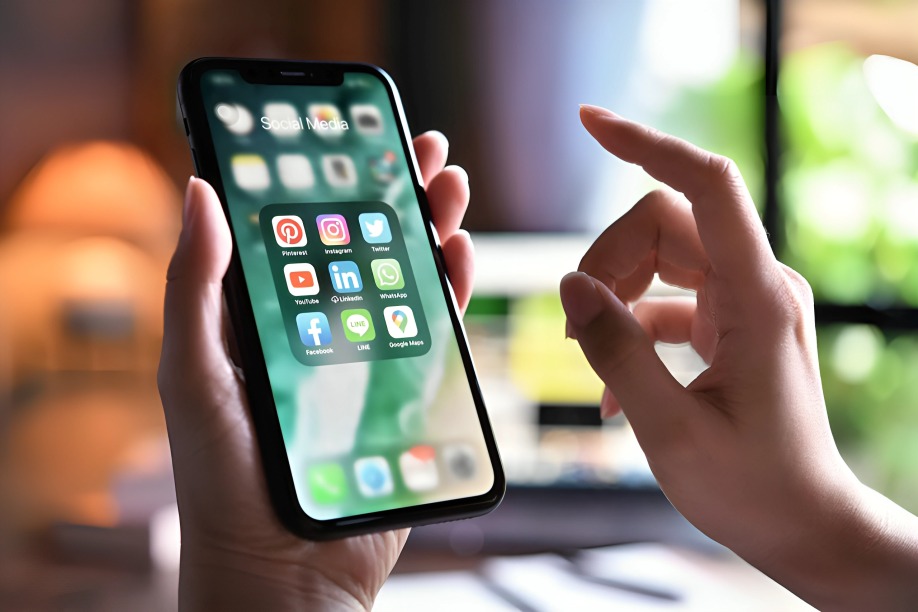
There’s something deeply satisfying about powering on a new iPhone or resetting an old one to feel brand new. Everything feels fresh, clean, and full of potential. But before you get caught up in the aesthetics—custom wallpapers, ringtones, and widgets—the smartest move you can make is to install a core set of apps that elevate your iPhone from just a beautiful piece of hardware into a true productivity and lifestyle companion. Whether you’re switching from Android, upgrading from an older iPhone, or simply doing a digital declutter, the apps you choose first matter the most. These nine essential apps cover everything from organization and entertainment to security and creativity—ensuring you’re getting the most out of your iPhone from the very beginning.
Google Photos: Backup with Brains
While iCloud is the default for many Apple users, Google Photos brings smart features that make it a must-have. It automatically backs up your photos and videos, sorts them using AI, recognizes faces and locations, and even suggests edits and animations. Plus, it frees up valuable space by offering the option to delete local copies of already-backed-up files. And if you ever switch back to Android? Your entire photo archive comes with you effortlessly.
Password or Bitwarden: Password Peace of Mind
Security starts with strong passwords, and managing them manually is a headache. 1Password and Bitwarden make it easy to store, generate, and autofill passwords securely across all your devices. Bitwarden is a free, open-source gem, while 1Password boasts a premium feel with extra sharing and vault options for families and teams. No more forgotten logins—or worse, compromised accounts.
Spotify or Apple Music: Music Wherever You Go
Whether you’re working, commuting, or cooking dinner, a good music app is essential. Spotify offers unmatched playlist curation and cross-platform flexibility, while Apple Music is tightly integrated into the iOS ecosystem and supports high-quality lossless audio. Both services offer podcasts, offline playback, and algorithms that learn your taste to deliver the perfect soundtrack for your life.
Notion: Your Second Brain
From daily journaling to project management, Notion gives you a blank canvas to organize your digital life. Create task boards, write notes, track habits, or even build a personal website. It’s intuitive, deeply customizable, and syncs seamlessly across devices. Once you get the hang of it, you’ll wonder how you ever managed without it.
Libby: Free Books and Audiobooks
Love to read but don’t love the price of Kindle books or Audible subscriptions? Libby connects to your local library system and gives you access to thousands of free eBooks and audiobooks. Borrowing is easy, and the interface is sleek and clutter-free. All you need is a library card—and suddenly, your iPhone is also your personal library.
Apollo: The Best Reddit Experience
If you spend any time on Reddit, Apollo is a no-brainer. Built by a former Apple developer, it’s designed to feel like a native iOS app with elegant animations, custom gestures, and total control over how your Reddit feed looks and works. While Reddit’s API changes have affected some third-party apps, Apollo remains a beloved tool among power users.
Google Maps: Still the Best for Navigation
Even though Apple Maps has made huge strides, Google Maps still wins in areas like public transport directions, local business info, and real-time traffic updates. It’s particularly helpful if you travel a lot, live in a busy city, or just need the most accurate and up-to-date navigation possible.
Duolingo: Fun Language Learning
Want to make your screen time more meaningful? Duolingo turns language learning into a game. With bite-sized lessons, daily streaks, and quirky characters, it keeps you motivated while teaching useful basics in dozens of languages. Just 10 minutes a day can help you build solid foundations in Spanish, French, Japanese, and more.
Authenticator App : Extra Security Layer
Two-factor authentication (2FA) is one of the best ways to protect your online accounts. Instead of relying on easily hackable text message codes, use an authenticator app like Authy or Google Authenticator to generate one-time passcodes that keep your accounts safer. Authy has the bonus of cloud backup, so you don’t lose access if you switch phones.
Conclusion
These nine apps represent the foundation of a smarter, safer, and more enjoyable iPhone experience. They’re not just filler—they actually enhance how your device works, whether you’re managing your life, securing your data, or entertaining your brain. With this starter pack, you avoid app bloat and start strong, focusing only on what truly matters.
And if you’re looking to go beyond the basics? There are plenty of specialized app lists to explore. Want to level up your productivity? Try apps like Things 3, Todoist, or Focus Keeper. Into photo editing? Snapseed, Lightroom, and VSCO are some of the most powerful tools right on your phone. Love journaling? Check out Day One. No matter your niche—fitness, mindfulness, drawing, video editing, or finance—there’s an iPhone app waiting to make your life easier and better.
Let me know what kind of app guide you’d like next—Android, niche-specific, or platform comparisons—and I’ll create one for you!
