
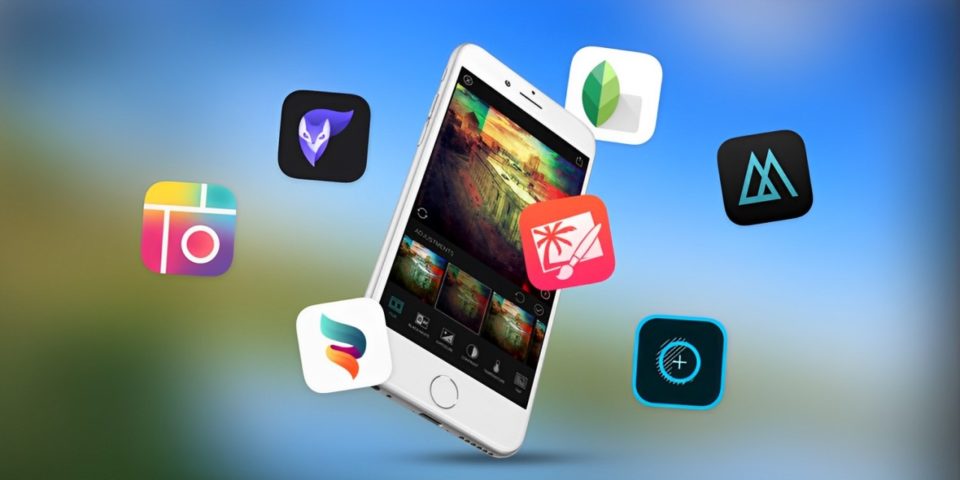
In the ever-evolving world of photo editing, artificial intelligence (AI) has rapidly become a central element in many popular apps. AI tools now handle everything from auto-enhancing images to complex retouching, streamlining the editing process for users of all skill levels. While these advancements are impressive, they can sometimes feel limiting, especially for those who appreciate a more hands-on approach to editing. For creatives who enjoy having full control over their images and wish to avoid apps that are overly reliant on AI, finding the right tools can be a breath of fresh air.
Below are some of my favorite photo editing apps that offer powerful features and creative freedom without being oversaturated with AI. These apps allow you to maintain artistic control over your edits, giving you the ability to craft images that reflect your unique vision.
Snapseed
Snapseed, developed by Google, is a highly versatile and user-friendly app that provides a wide array of editing tools without overwhelming users with AI-driven features. Whether you’re a beginner or an experienced photographer, Snapseed’s intuitive interface and manual controls make it easy to enhance your photos exactly the way you want.
Why I Love It:
Selective Adjustments: This feature allows you to fine-tune specific areas of your image, offering precision that many AI-driven apps lack.
Wide Range of Filters: Snapseed provides a variety of filters that you can manually adjust, ensuring that your creative vision isn’t overshadowed by automated suggestions.
Manual Editing Focus: Rather than pushing AI, Snapseed emphasizes user control, making it an excellent choice for those who prefer a hands-on editing experience.
VSCO
VSCO has built a strong reputation for its beautifully crafted filters and minimalist design, which encourages a more thoughtful and deliberate editing process. While it does incorporate some AI-based tools, they are subtle and do not dominate the editing experience. Instead, VSCO excels in offering manual controls and film-like presets that appeal to photographers who appreciate a more traditional approach.
Why I Love It:
Film-Inspired Presets: VSCO’s presets are designed to mimic the look of classic film, offering a nostalgic and artistic feel to your photos.
Emphasis on Manual Adjustments: With in-depth tools for adjusting exposure, contrast, and color, VSCO gives you full control over your edits, allowing for a more personal touch.
Creative Community: The app also connects you with a global community of photographers, offering inspiration and a platform to share your work with like-minded creatives.
Adobe Lightroom Mobile
Adobe Lightroom Mobile is a powerful tool that brings the capabilities of professional-grade editing software to your mobile device. While it does include some AI features, such as automatic adjustments, the app is best known for its robust manual controls and the ability to work with RAW files. This makes it a top choice for photographers who want to retain full control over their editing process.
Why I Love It:
Professional Editing Tools: Lightroom Mobile offers a comprehensive set of tools that allow for detailed and precise editing, mirroring the experience of its desktop counterpart.
RAW File Support: The ability to edit RAW files directly on your phone ensures that you’re working with the highest quality images.
Customizable Presets: Lightroom enables you to create and save your own presets, allowing for consistent edits across your portfolio without relying heavily on AI.
Afterlight
Afterlight is a feature-rich app that strikes a perfect balance between simplicity and sophistication. While it includes some AI-driven features, they are not the focal point of the app. Instead, Afterlight stands out with its customizable filters, textures, and overlays, which allow you to create truly unique and personalized edits.
Why I Love It:
Customizable Filters: Afterlight allows you to create your own filters by adjusting various settings, offering a level of personalization that many AI-heavy apps do not.
Textures and Overlays: The app includes creative elements like light leaks and dust overlays, which you can layer onto your photos to add a distinctive touch.
User-Friendly Interface: Despite its powerful features, Afterlight maintains a clean and intuitive interface, making it accessible to users of all skill levels.
Darkroom
Darkroom is designed for iOS users who want a streamlined yet powerful editing experience. While it does incorporate some AI elements, such as smart object detection, the app is heavily focused on giving users control over their edits. Darkroom’s non-destructive editing workflow allows you to experiment with your images without permanently altering the original files.
Why I Love It:
Non-Destructive Editing: Darkroom allows you to make adjustments without affecting the original image, giving you the freedom to experiment without worry.
Batch Editing: The app’s batch editing feature lets you apply consistent edits to multiple photos at once, saving time without relying on AI automation.
Comprehensive Toolset: Darkroom offers a range of tools for color correction, cropping, and more, allowing for detailed editing without overwhelming the user with AI features.
TouchRetouch
TouchRetouch is a specialized app that focuses on removing unwanted objects from your photos. Unlike many modern apps that use AI to make automatic decisions, TouchRetouch gives you the tools to manually select and remove objects with precision. This hands-on approach ensures that you have complete control over the final look of your image.
Why I Love It:
Manual Object Removal: TouchRetouch offers precise control over what gets removed from your photos, ensuring that the results are exactly what you want.
Simple Interface: The app’s straightforward tools make it easy to clean up your images without the need for AI assistance.
Effective Results: TouchRetouch delivers professional-quality edits with minimal effort, giving you confidence in the final product.
Mextures
Mextures is an app that emphasizes creativity through its unique approach to layering textures, gradients, and light leaks. Unlike many apps that automate these effects, Mextures gives users full control over how they are applied, allowing for a more personalized and artistic editing process.
Why I Love It:
Layer-Based Editing: Mextures allows you to layer textures and effects, providing a creative and customizable editing experience.
Custom Formulas: The app lets you save and reuse your favorite edits, offering consistency without the need for AI automation.
Artistic Focus: Mextures encourage experimentation, making it a great choice for those who want to explore the more artistic side of photo editing.
Conclusion
In an age where AI is increasingly integrated into photo editing apps, it’s refreshing to find tools that prioritize creativity and user control. The apps mentioned above offer a perfect balance between powerful features and manual editing, allowing you to take full charge of your photo editing experience. Whether you’re a professional photographer or a hobbyist, these apps provide the freedom to craft beautiful, personalized images without being overshadowed by AI. By choosing tools that emphasize creativity over automation, you can ensure that your edits reflect your unique vision and artistic style.
