
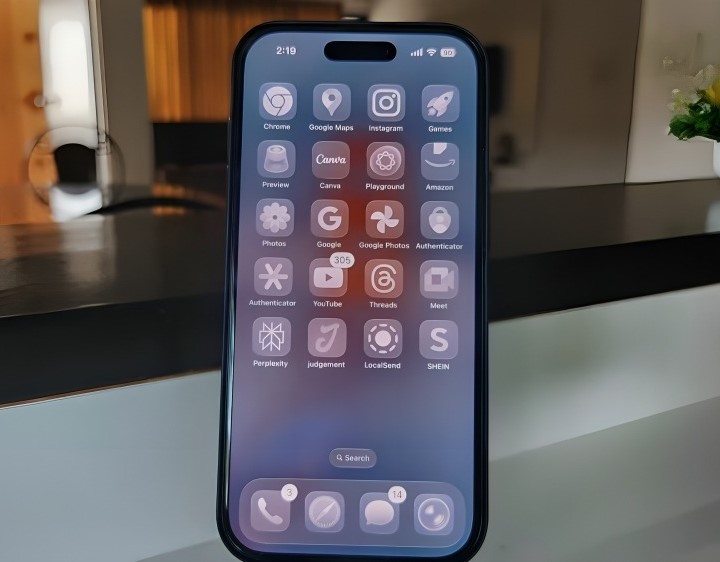
Every new iOS update brings flashy features, new designs, and often, some fanfare. But what really matters is the stuff Apple fixes quietly — those little pain points that gnaw at your experience but don’t make headlines. iOS 26 does a lot more than tweak visuals; it addresses many of the niggling annoyances users have tolerated. Here are some of the most meaningful fixes you might not have noticed — but will appreciate every time you use your iPhone.
Real Call Screening for Unknown Numbers
Spam calls, telemarketers, and random unknown numbers have long been a headache. iOS 26 introduces Call Screening: unknown callers must state their name and reason for calling before your phone even rings. If you don’t want to pick up, no more guessing games. This solves the recurring frustration of getting interrupted by a call you don’t want. MacRumors Forums+2MakeUseOf+2
Adaptive Power Mode to Improve Battery Life
One of the biggest gripes with iPhones is battery life — especially after big updates where things start draining fast. iOS 26’s Adaptive Power Mode helps by adjusting performance, brightness, and background activity based on how you use the phone. It even turns on Low Power Mode automatically when the battery gets low (for certain models). Less babysitting of settings, more peace of mind. The Verge+1
Clearer Messages with New Group Chat Tools
Group messages have always been messy with missing context, no easy way to vote on group decisions, or tell who’s typing. iOS 26 adds polls in Messages, typing indicators in group chats, and conversation backgrounds so threads feel more personal. These small enhancements reduce friction in situations where you just want to coordinate or chat without misunderstandings. MacRumors Forums+2Cinco Días+2
Less Annoying Alarm “Snooze” Timing
Most people are tired of the fixed 9-minute snooze timer. It’s arbitrary. iOS 26 lets you set custom snooze durations per alarm. Now you can make your alarm work with your sleep pattern instead of being stuck with what someone else thought was “close enough.” Tom’s Guide+1
On-Screen Estimated Charging Time
Charging feels more opaque than it should. Until now, you rarely knew how long your iPhone would take to reach full. iOS 26 adds an estimated charging time display on the lock screen, solving the guesswork. You’ll now know if you have enough time to charge before heading out. MakeUseOf
Fewer Spam Interruptions – Across Calls & Messages
Between Call Screening and better filtering of unknown numbers/messages / senders, iOS 26 significantly reduces unwanted interruptions. Whether it’s a spam text or a mysterious call, many of these are now auto-sorted, auto-blocked, or at least flagged (without disturbing you). That quiet peace is underrated. MacRumors Forums+2Tatler Asia+2
Better Interface Legibility & Cleaner Visuals
iOS 26 introduces Liquid Glass, a new design language with translucent UI elements, more reflections, and motion effects. While change in visuals can cause complaints, many of its refinements focus on visual hierarchy and clarity — making buttons, text, and menus easier to read and navigate. Also, there’s an option to reduce transparency for those who prefer more contrast. TechRadar+3The Verge+3Wikipedia+3
Smart Maps & Navigation Improvements
Maps got some love too. Preferred routes, AI-powered suggestions, and better “been places” history make navigation more adaptive. No more setting the same route over and over or being frustrated when Maps can’t remember where you usually go. These changes help make Maps feel more personalized, less frustrating. Indiatimes+1
Recovery Assistant & Smarter Security Permissions
A few subtle but powerful changes reduce risk and hassle:
- A Recovery Assistant feature helps your iPhone try auto-repair if it fails to boot normally. Wikipedia+1
- More control over accessories connected via cable when your iPhone is locked. Wikipedia
- A consolidated section for blocked contacts and spam numbers across apps—so you don’t lose track of who you’ve blocked and where. Wikipedia
Customization That Actually Saves You Time
Small things stack up: custom snooze, backgrounds in Messages, widgets in CarPlay, improved widget placement for weather and lock screen, even customization in how your lock screen displays clock/timing. These shifts don’t seem huge one by one, but together they reduce friction in daily use. Less tapping around, fewer workarounds. Tatler Asia+3MacRumors Forums+3Apple Support+3
What Still Needs Tuning
No update is perfect. Some users report battery drain initially, or issues with text legibility due to new transparency. Because iOS 26 is big and changes many visuals, these side effects are expected. Apple seems aware and is already adjusting transparency settings, etc. If you’re cautious, waiting a few minor updates may make the experience even smoother. TechRadar
Conclusion
iOS 26 isn’t just about a prettier interface or flashy new effects. What makes it a strong update is how many everyday annoyances it addresses without shouting about it: spam calls, vague charging status, rigid alarms, navigation friction, UI legibility, and more.
If you’ve been tolerating small frustrations with your iPhone for months or years, this update solves many of them. It shows what user-centered improvements look like: not always the bold, headline-grabbing features, but the ones that quietly make life smoother.Sometimes the best software upgrade isn’t the one that looks the coolest. It’s the one that finally fixes what annoys you most.
If you like, I can pull together a side-by-side list: “Life Before iOS 26 / Life After iOS 26” — so you can see exactly how your daily experience might change.
