
I’ve been a Samsung fan for years. From their gorgeous AMOLED screens to their cutting-edge camera technology, there’s a lot to love. Samsung phones often feel like the pinnacle of Android engineering—powerful, sleek, and packed with features. But no matter how much I enjoy using them, there are certain issues that just drive me crazy.
If you’re a fellow Samsung user, you’ll probably relate. And if you’re considering buying one, here are a few things you should know first.
Too Many Unnecessary Apps (a.k.a. Bloatware)
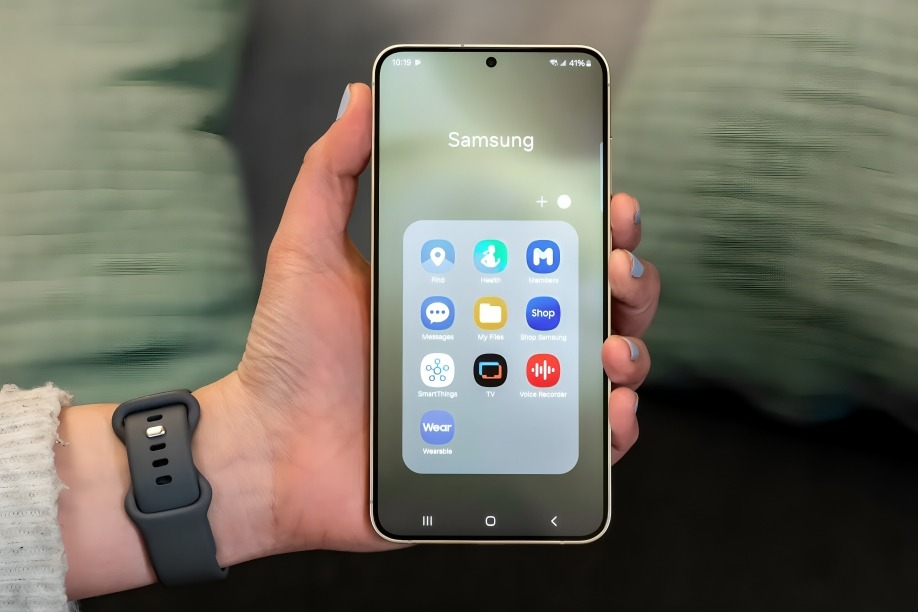
Straight out of the box, Samsung phones come loaded with apps—many of which you’ll never use. There’s Samsung’s version of everything: messages, calendar, browser, notes, app store, and more—even when Google already provides Android defaults.
Why does a single phone need two browsers, two app stores, and two email apps?
Sure, some people like the customization options, but for most users, it just clutters the interface and eats up storage. Worse, some of this bloatware can’t even be uninstalled—just disabled.
Inconsistent Software Updates
Samsung has improved a lot in recent years when it comes to Android updates. They now offer 4+ years of software support on many models. But here’s the catch: updates are often delayed, especially on non-flagship phones or in certain regions.
If you’re not using the latest Galaxy S or Z model, you might be waiting months for the latest Android version or even basic security patches. It’s frustrating, especially when other brands are rolling out updates faster across the board.
Battery Life Can Be Disappointing Over Time
When you first unbox a Samsung phone, the battery life is usually solid. But give it 6–12 months, and you may start noticing a significant drop in stamina.
Despite large battery capacities, Samsung’s phones can struggle with power optimization—especially with features like Always-On Display, background app refresh, and high refresh rate screens. Yes, the screens look amazing, but you’ll often find yourself reaching for the charger sooner than expected.
Samsung’s UI Still Feels Heavier Than It Needs to Be
One UI is a big improvement over the old TouchWiz days, but let’s be honest—it’s still pretty heavy. Animations can feel sluggish, settings are scattered across menus, and even with high RAM models, performance occasionally stutters.
Samsung adds useful features, but sometimes it feels like too much is layered on top of Android’s clean design. If you’ve ever used a Google Pixel or a OnePlus phone, you’ll notice how snappy and minimal stock Android feels in comparison.
Too Much Push for Samsung Ecosystem Services
Samsung is really eager to keep you in their ecosystem. From Samsung Pay to Samsung Cloud to Samsung Free (does anyone actually use that?), they push their own services hard—even when better alternatives exist.
Worse, you get constant prompts to sign up, log in, or set up services you might not want. For some users, it feels more annoying than helpful, especially when you just want to use the device without committing to a full Samsung lifestyle.
High Price Tag with Rapid Depreciation
Samsung flagships are expensive—often in the same price range as iPhones. But unlike iPhones, Samsung phones tend to lose value quickly. Within months of release, you’ll see major price drops and resale value that doesn’t match the premium cost you paid up front.
So while they’re powerful and shiny, they’re not exactly great long-term investments if you’re someone who frequently upgrades or resells.
Conclusion
At the end of the day, I genuinely enjoy using Samsung phones. They’re beautiful, capable, and often ahead of the curve in innovation. But these six recurring issues make the experience feel less perfect than it should be—especially when you’re paying flagship prices.
Still, every phone has its flaws, and for many users (myself included), Samsung’s strengths outweigh its weaknesses.
But here’s hoping they keep listening to feedback—because for a company so close to getting it all right, these little frustrations can feel like big misses.
