
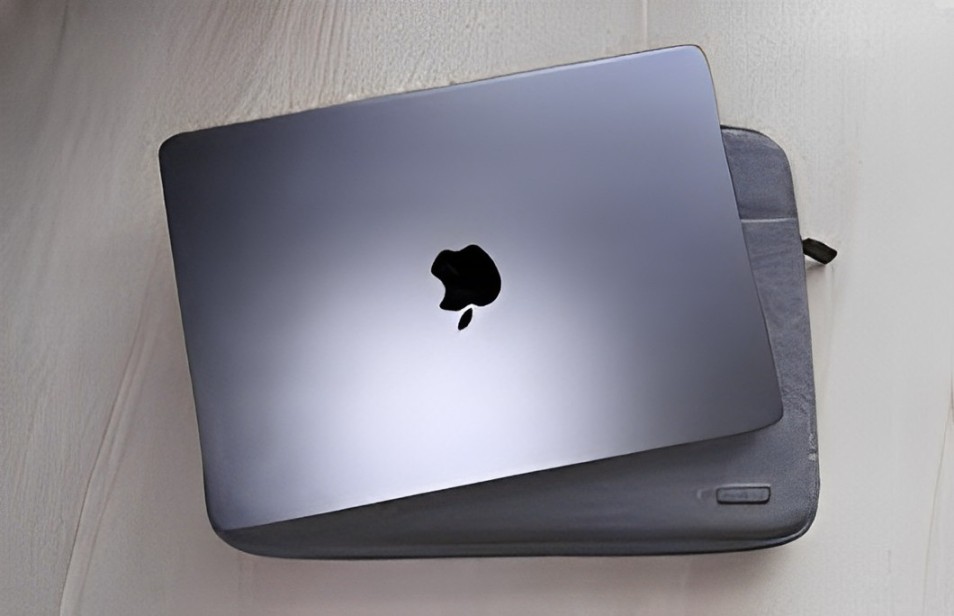
Your MacBook is more than just a computer—it’s an investment and an essential part of everyday life. Whether you use it for work, study, or leisure, protecting it from accidental drops, scratches, and other wear is crucial to keeping it in top shape. After a few close calls and some minor scuffs, I decided to take proactive steps to ensure my MacBook stays as pristine as the day I bought it.
Here’s how I protect my MacBook from damage and keep it looking great.
A Sturdy Case for Everyday Protection
The first thing I did was buy a high-quality protective case. There are many options available—from lightweight snap-on covers to heavy-duty shockproof cases. I opted for a slim case made of hard plastic, which provides reliable protection without adding too much bulk.
This case ensures that if my MacBook slips out of my hands or slides off a surface, it won’t get dented or scratched. Plus, cases come in various colors and designs, making it easy to give the laptop a bit of personal flair.
Screen Protector to Guard Against Scratches
The MacBook’s screen is one of its most delicate components, so I added a tempered glass screen protector. These protectors are thin, transparent, and easy to apply, offering a layer of defense against accidental scratches, fingerprints, and smudges.
The screen protector also gives me peace of mind when I toss the MacBook into a backpack with other items like chargers, pens, or notebooks. No more worrying about anything scraping the screen.
Keyboard Cover to Prevent Dust and Spills
I learned the hard way that crumbs and dust can easily get trapped between the keys. A silicone keyboard cover helps protect the keyboard from dirt, dust, and accidental spills. It fits perfectly over the keys without interfering with typing, and it’s easy to clean with a quick rinse.
Not only does it prevent dust build-up, but it also guards the keyboard from damage in case of minor liquid spills—because accidents happen.
Protecting the Edges with Sleeves and Bags
When I need to carry my MacBook around, I always use a padded sleeve or a dedicated laptop bag. These provide extra cushioning, especially around the edges, which are more prone to dents and damage from impacts.
A sleeve also makes it easier to carry the MacBook inside a larger backpack, keeping it safe from bumps or pressure. I chose a water-resistant sleeve for added protection in case I get caught in the rain while commuting.
Using a Stand to Prevent Overheating and Surface Scratches
At home, I use a laptop stand to elevate the MacBook while working. Not only does this improve airflow and prevent overheating, but it also protects the bottom of the laptop from scratches caused by surfaces like desks or tables.
The stand also improves ergonomics, reducing neck strain during long work sessions—so it’s a win-win.
Cable Management to Avoid Accidental Drops
Loose cables can lead to accidents—like someone tripping and sending the laptop flying. I use cable organizers to keep everything neat and secure. I also make sure the charging cable has enough slack to prevent it from yanking the MacBook off a desk if someone pulls it accidentally.
Conclusion
Protecting my MacBook from drops, scratches, and other damage takes a little effort, but it’s worth it. A combination of a case, screen protector, keyboard cover, and padded sleeve ensures my laptop stays in great condition, even with regular use.
By being mindful of how I carry and store my MacBook, I avoid costly repairs and extend its lifespan. If you’re like me and rely heavily on your laptop, investing in protection now can save you from frustration and expenses later. After all, peace of mind is priceless.
