
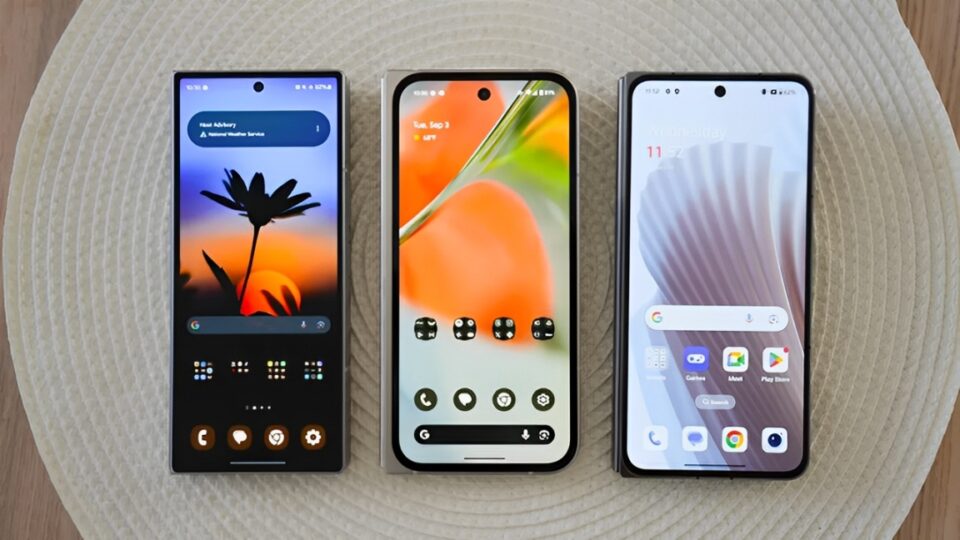
Your Android phone is likely your go-to tool for texting, scrolling social media, watching videos, and maybe even the occasional selfie. But under the hood, it’s a far more powerful device than most people realize — capable of performing tasks you probably never thought possible.
Here are 10 unexpected and brilliant ways to use your Android phone that go far beyond calls and casual browsing.
Use It as a Wi-Fi Repeater or Hotspot Extender
Struggling with weak Wi-Fi in a certain room? Your Android phone can act as a Wi-Fi repeater. Unlike the basic mobile hotspot (which shares your mobile data), some newer Android versions allow Wi-Fi sharing — meaning you can connect your phone to a Wi-Fi network and broadcast it again as a new signal to nearby devices.
Just go to:
Settings > Network & Internet > Hotspot & Tethering > Wi-Fi hotspot
Then enable Wi-Fi sharing (available on some devices).
Turn It Into a Security Camera
With a simple app like Alfred, IP Webcam, or Manything, your old Android phone can become a home security camera.
- Mount it discreetly.
- Connect to Wi-Fi.
- View the live feed remotely via another phone or your computer.
It’s perfect for keeping an eye on pets, checking for deliveries, or using a baby monitor — without paying for expensive gear.
Control Your Computer Remotely
With apps like Unified Remote, TeamViewer, or Chrome Remote Desktop, your Android phone becomes a remote control for your PC or Mac.
You can:
- Control the mouse and keyboard
- Access files
- Launch programs
- Shut down or restart your system
This is great for remote work, media control, or helping less tech-savvy family members from afar
Measure Height, Distance, and Surface Area
Your Android phone is secretly a measuring tape, level, and even a surface area calculator.
Using AR apps like Google Measure or AR Ruler App, you can point your phone’s camera at a surface to measure things like:
- Furniture
- Room dimensions
- Object height or width
Combine this with built-in sensors and you’ve got a pretty accurate pocket-sized DIY assistant.
Scan Real Objects Into 3D Models
With advanced AR and LIDAR-style tech coming to Android, apps like Alone or Polycam let you scan real-world objects using your phone’s camera and turn them into 3D models.
Perfect for:
- Game developers and 3D artists
- Creating assets for virtual worlds
- Educational or product design purposes
It’s like having a 3D scanner in your pocket — no extra equipment needed.
Automate Daily Tasks with Routines
Using tools like Tasker, IFTTT, or Android’s own Rules and Routines, you can automate nearly anything on your phone.
For example:
- Auto-send a message when you leave work
- Turn off Wi-Fi at bedtime
- Start music and enable GPS when you enter your car
- Auto-record calls from specific contacts
These little “set-it-and-forget-it” tasks can save time and mental energy every day.
Turn It Into a Full-Fledged POS System
If you sell anything in person — art, crafts, services — your Android can become a point-of-sale (POS) terminal.
Apps like Square, PayPal Zettle, and SumUp allow you to:
- Accept card payments with a portable reader
- Track inventory
- Print receipts via Bluetooth printers
This is a game-changer for pop-up shops, food trucks, or even yard sales.
Use It as a Scientific Sensor
Thanks to sensors like the accelerometer, gyroscope, magnetometer, light sensor, and barometer, your Android can collect scientific data.
With apps like:
- Physics Toolbox Sensor Suite
- Science Journal by Google
You can:
- Measure motion and tilt
- Detect magnetic fields
- Record sound waves
- Monitor environmental pressure
It’s popular among students, researchers, and hobbyists alike.
Scan and Digitize Documents with Precision
Your Android phone is already equipped with high-res cameras. Combine this with apps like Adobe Scan, Microsoft Lens, or CamScanner, and you have a pocket scanner.
Use it to:
- Digitize receipts and contracts
- Scan whiteboards and handwritten notes
- Convert printed text to editable PDF or Word documents (OCR)
Great for students, freelancers, or anyone who wants to go paperless.
Create Your Own Personal Health Tracker
Beyond step counts and calories, you can customize your Android to be a deep personal health and wellness tracker.
With apps like:
- Google Fit
- Sleep as Android
- Headspace or Insight Timer
- Period trackers, hydration reminders, and mood logs
You can monitor:
- Sleep cycles using your mic or motion sensors
- Heart rate using the camera
- Water intake and mental health stats
Some phones even work with glucose meters, smart thermometers, and blood pressure cuffs for more advanced tracking.
Conclusion
Your Android phone is more than a communication device — it’s a multi-tool for modern life. Whether you want to automate chores, enhance your productivity, improve your health, or scan the world around you, it’s all possible with just a little curiosity and the right apps.
You don’t need to buy extra gadgets or learn complex systems. Everything you need is already in your pocket — you just need to unlock it.
