
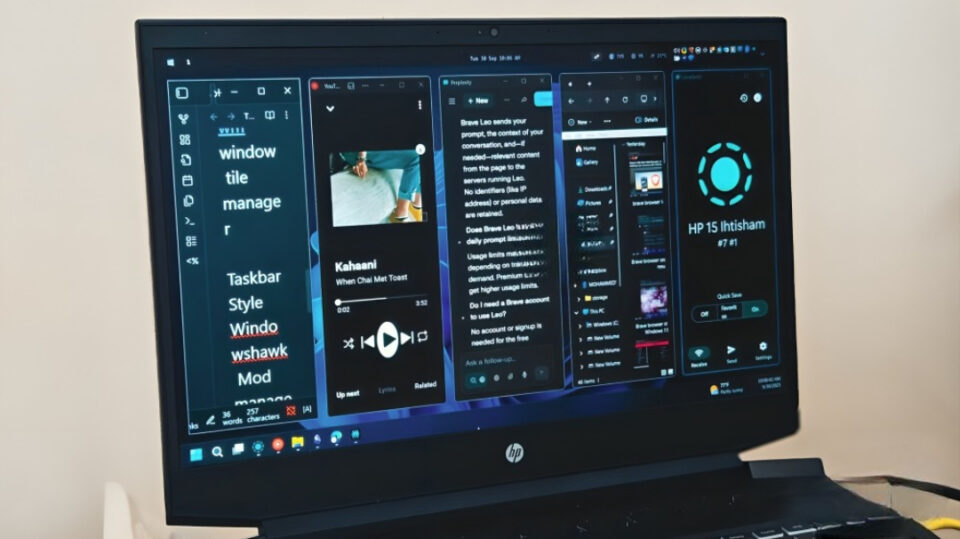
Windows 11 is sleek, polished, and packed with productivity features. But let’s be honest—after the honeymoon phase, it can feel a little too serious, even restrictive. The good news is that the Windows community has always been quick to step in where Microsoft leaves gaps. From small tweaks to full-blown customizations, modders have created tools that bring back the joy of using your PC.
Here are seven community mods that make Windows 11 fun again.
StartAllBack – The Start Menu We Actually Wanted
Windows 11’s Start menu feels… fine. But for many, it’s missing the charm and utility of earlier versions. Enter StartAllBack—a community favorite that lets you customize your taskbar, start menu, and system tray to feel more like Windows 7 or Windows 10, while still keeping the modern design. Suddenly, opening apps feels familiar and fun again.
RoundedTB – Because Shapes Shouldn’t Be Boring
If you’re tired of the stock taskbar, RoundedTB adds personality. It lets you customize taskbar corners, margins, and spacing, turning the rigid strip into something sleek and visually satisfying. It’s a small tweak, but it changes the entire vibe of your desktop.
ExplorerPatcher – Full Control Over File Explorer
File Explorer is functional, but sometimes clunky. ExplorerPatcher brings back classic menus, improves navigation, and gives you control over features Microsoft stripped away. For power users, it’s like rediscovering a toolbox that makes everyday tasks smoother—and oddly fun.
Rainmeter – Turning Your Desktop Into Art
If you really want to make Windows 11 exciting, Rainmeter is the ultimate mod. It lets you add custom widgets—like clocks, weather, music players, or system monitors—directly to your desktop. With thousands of community-made skins, you can make your PC look like a sci-fi command center or a minimalist art board.
Auto Dark Mode – A Touch of Effortless Style
Switching between light and dark themes manually is boring. Auto Dark Mode does it for you automatically, based on time of day. Your PC gently transitions from a bright morning look to a cozy nighttime feel, making the desktop feel alive and attuned to your rhythm.
Files App – A Modern Alternative to File Explorer
For those who want something completely fresh, the community-built Files App is a modern, stylish file manager that feels more fluid than Microsoft’s own Explorer. With tab support, dual-pane views, and smooth design, it turns organizing files into something you might actually enjoy.
Lively Wallpaper – Desktops That Actually Move
Why settle for static wallpapers when your desktop can come alive? Lively Wallpaper lets you set animated, interactive, or even video-based wallpapers. From calming rain scenes to space animations, it adds personality and energy every time you turn on your PC.
Conclusion
Windows 11 is solid out of the box, but community mods transform it into something more personal, creative, and—most importantly—fun. Whether you want a nostalgic throwback, artistic flair, or just smoother workflows, these mods prove that Windows isn’t just for work—it’s also a canvas for play.
Would you like me to also add download links and sources for each mod, so the article reads more like a hands-on guide?
