
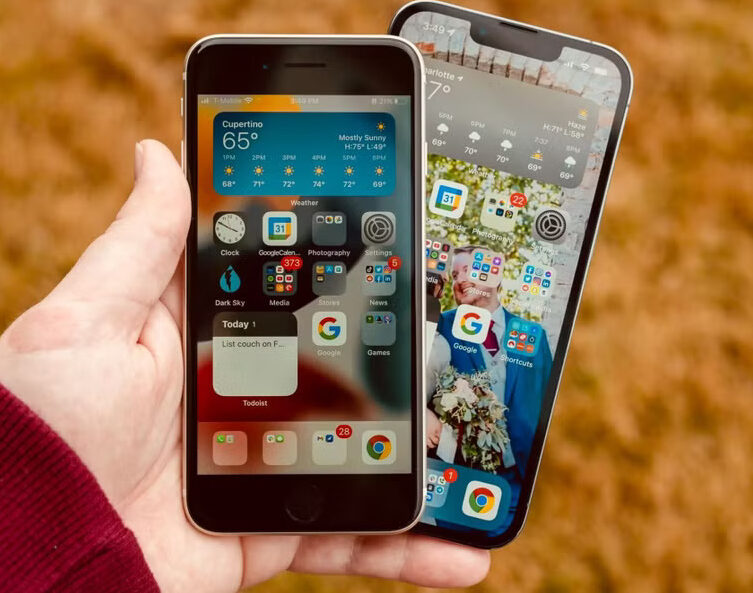
Face ID has been a defining feature of iPhones since its debut with the iPhone X in 2017. Apple’s facial recognition system replaced Touch ID, offering a seamless, secure, and fast way to unlock devices, authenticate payments, and access sensitive apps. But what if you suddenly had to go without it? For one week, I used an iPhone model that lacked Face ID, relying instead on passcodes and traditional authentication methods. Here’s what I missed the most—and what surprised me.
The Everyday Hassles of Losing Face ID
The first few hours without Face ID felt like stepping back in time. It wasn’t just about unlocking my phone—Face ID had subtly integrated itself into multiple daily tasks. Here’s what stood out the most:
Unlocking the Phone Became a Chore
With Face ID, unlocking my phone is as simple as looking at it. Without it, I had to manually enter my passcode every single time. It might seem like a small inconvenience, but over the course of a day, this added up quickly. Especially when my hands were full or dirty, typing in a code felt like a step backward.
Apple Pay Became Less Seamless
One of my favorite things about Face ID is how effortlessly it works with Apple Pay. Double-tap the side button, glance at the phone, and you’re good to go. Without it, I had to manually enter my passcode, adding an extra step that made contactless payments feel significantly less convenient.
Password Autofill Felt Clunkier
Face ID makes logging into apps and websites incredibly smooth. With it enabled, my saved credentials autofill in an instant. Without Face ID, I had to manually type passwords or rely on Touch ID (on an older model), which sometimes failed due to sweaty or wet fingers.
App Security Became More Annoying
Many apps, like banking apps and encrypted messengers, rely on Face ID for quick access. Without it, I had to enter passcodes or passwords repeatedly throughout the day, which felt tedious.
Face ID in the Dark Is a Game Changer
One thing I took for granted was using Face ID in low-light conditions. While it works flawlessly in the dark, passcodes require turning on the screen and focusing enough to enter the digits correctly—something I really missed at night.
Siri Requests and Notifications Became Less Private
With Face ID, notifications remain hidden until the iPhone detects my face. Without it, they displayed in full view, which meant I had to manually change my settings to maintain privacy. Additionally, Siri requests that required authentication now prompted me for a passcode instead of a quick glance.
What I Didn’t Miss as Much
While Face ID is incredibly useful, there were a few things that weren’t as bad as I expected.
Wearing a Mask Was Easier
During the pandemic, Face ID’s biggest drawback was its struggle to recognize masked faces. Without Face ID, I didn’t have to deal with any “Face ID Not Recognized” errors—I simply typed my password right away.
Touch ID Was a Decent Substitute
If you’re using an older iPhone model with Touch ID, you’re not completely lost. While it’s not as effortless as Face ID, it’s still faster than entering a passcode every time.
Less Accidental Unlocking
Sometimes, Face ID is too responsive, unlocking my phone when I don’t intend to use it. Without it, I had to be more deliberate about accessing my phone, which could be a plus for those who prefer an extra layer of intentionality.
Conclusion
After a week without Face ID, I realized just how much I rely on it for convenience and security. It’s not just about unlocking my phone—it streamlines authentication, protects privacy, and enhances the overall user experience. While I managed without it, the extra steps added up quickly, making daily interactions with my phone feel less fluid.
For anyone using a newer iPhone, Face ID is more than just a gimmick—it’s an integral part of Apple’s seamless ecosystem. If you’ve ever wondered how much you’d miss it, take it away for a few days. Chances are, you’ll appreciate it even more.
